


Q:How to Edit Quiz Questions Again?
Q: In the quiz tutorial, we can learn how to use quizzes. But how to edit quiz questions again?
Preparation time
5 minutes
Difficulty
Easy
適用Moodle版本
3.9、4.1、4.5
Directions
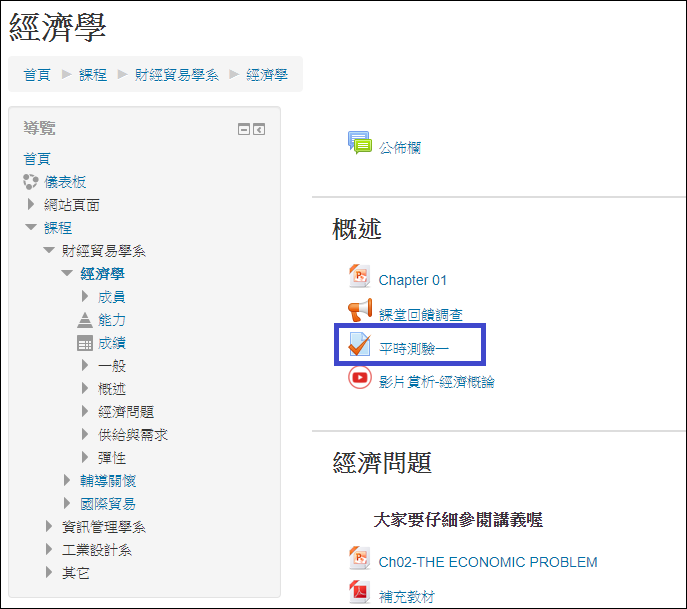
A: First, go to the course and find the quiz we just edited. Please click to enter the quiz.
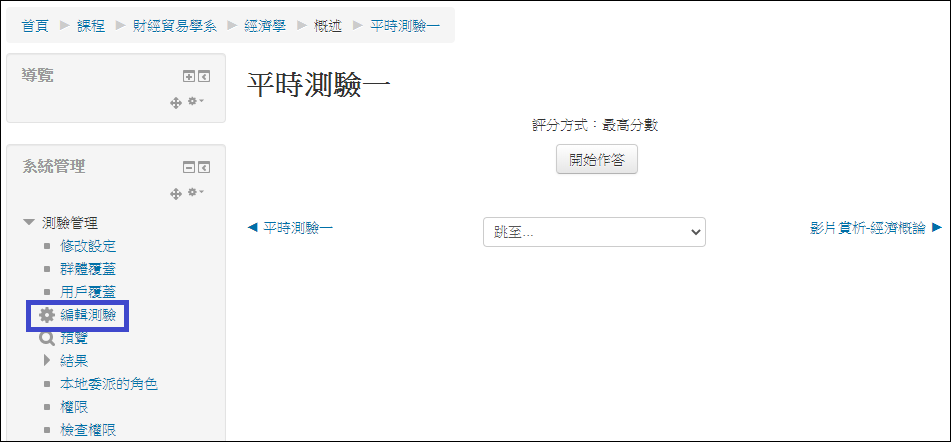
Once inside the quiz, locate the "Administration" block, then click the "Edit quiz" button.
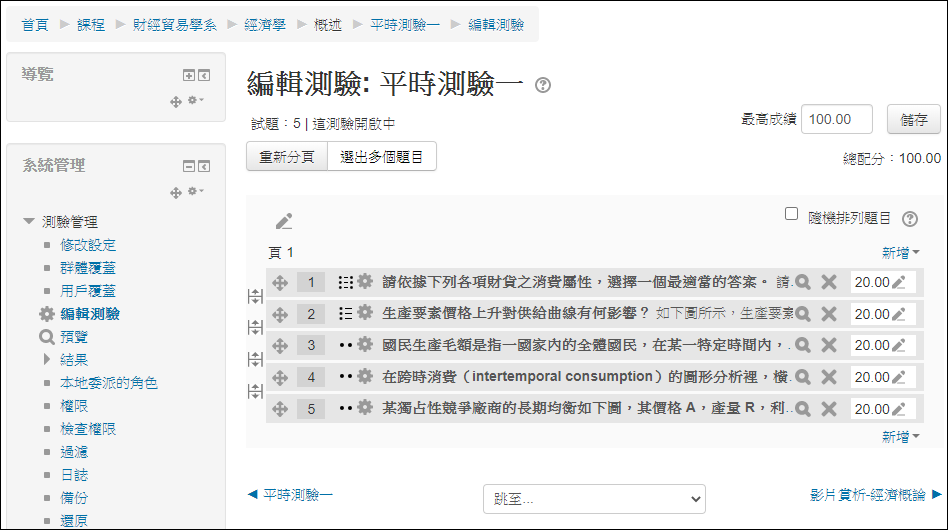
On this page, you will see the previously edited questions. Teachers can edit the quiz from this page.
However, please note that if any students have already attempted the quiz, you will not be able to edit it.